




A few days ago, we published our Security Hardening Guide, a practical checklist to help you keep EasyDCIM in good shape over time. Putting it together also got us thinking: what if we can turn some of that advice into tools you can use directly in EasyDCIM?
Backup and recovery gave us the perfect place to start. In the guide, we encouraged you to test recovery, not just backups, so we took that advice a step further and built an all-new extension: Backup Manager that brings backup creation, storage, protection, verification and recovery preparation into one place.
And this is how we arrive at EasyDCIM v1.27.0. Backup Manager takes center stage, joined by device change notifications, LDAP directory login, more flexible IPv4 allocation, and plenty of other improvements. Let’s get into it!
A backup is only as good as what happens next
Getting data into a backup is one thing. Getting the right data back out, from the right copy, in a form you can trust and restore, is a much better measure of how solid your backup process really is.
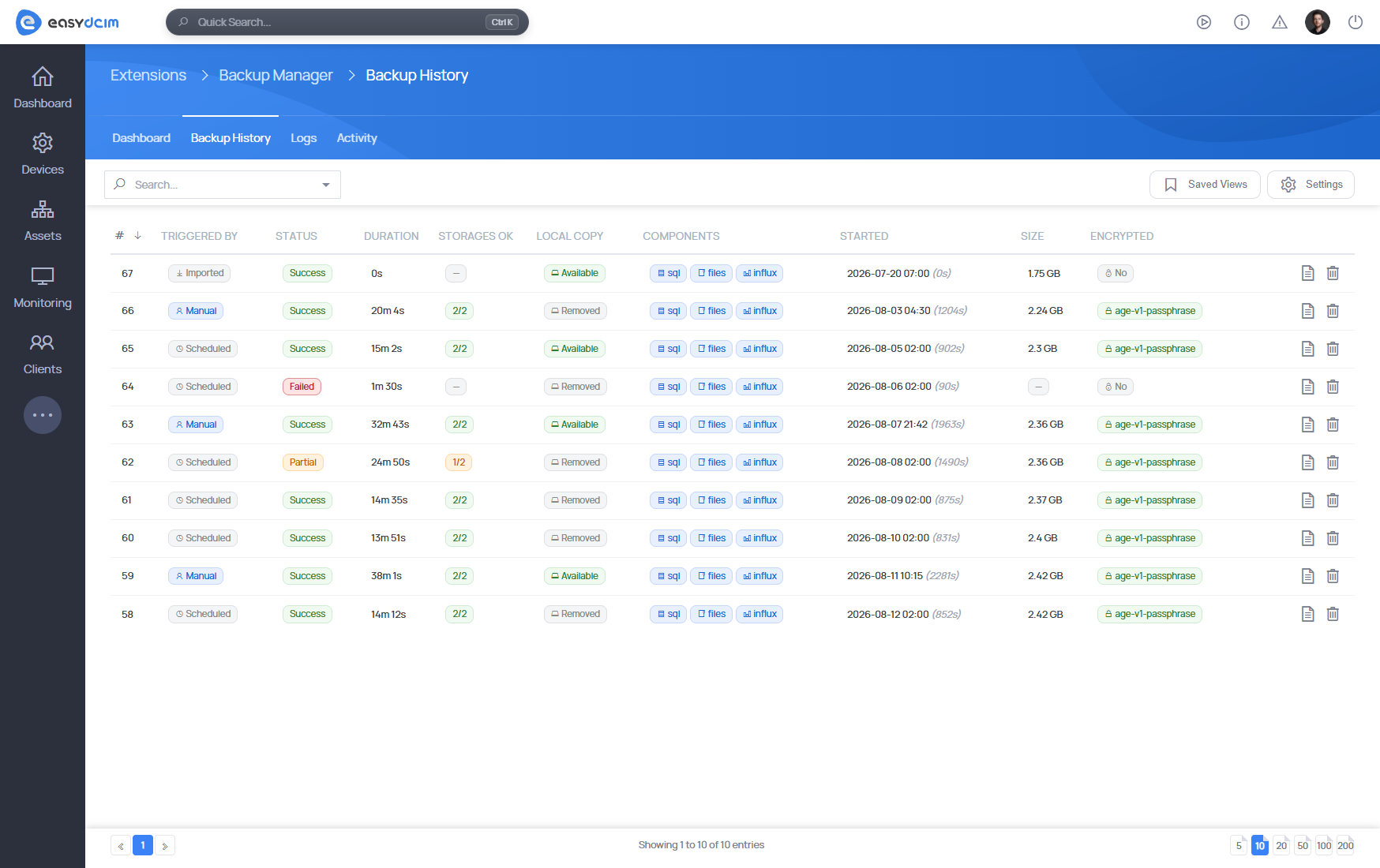
Backup Manager For EasyDCIM brings that entire process into the EasyDCIM Admin Area. You can schedule backups or run them on demand and decide what goes into each one: the SQL database, application files, InfluxDB data, or all three. Backup history keeps previous runs in view, while health checks and file checksums help verify that the copies you expect to have are really there.
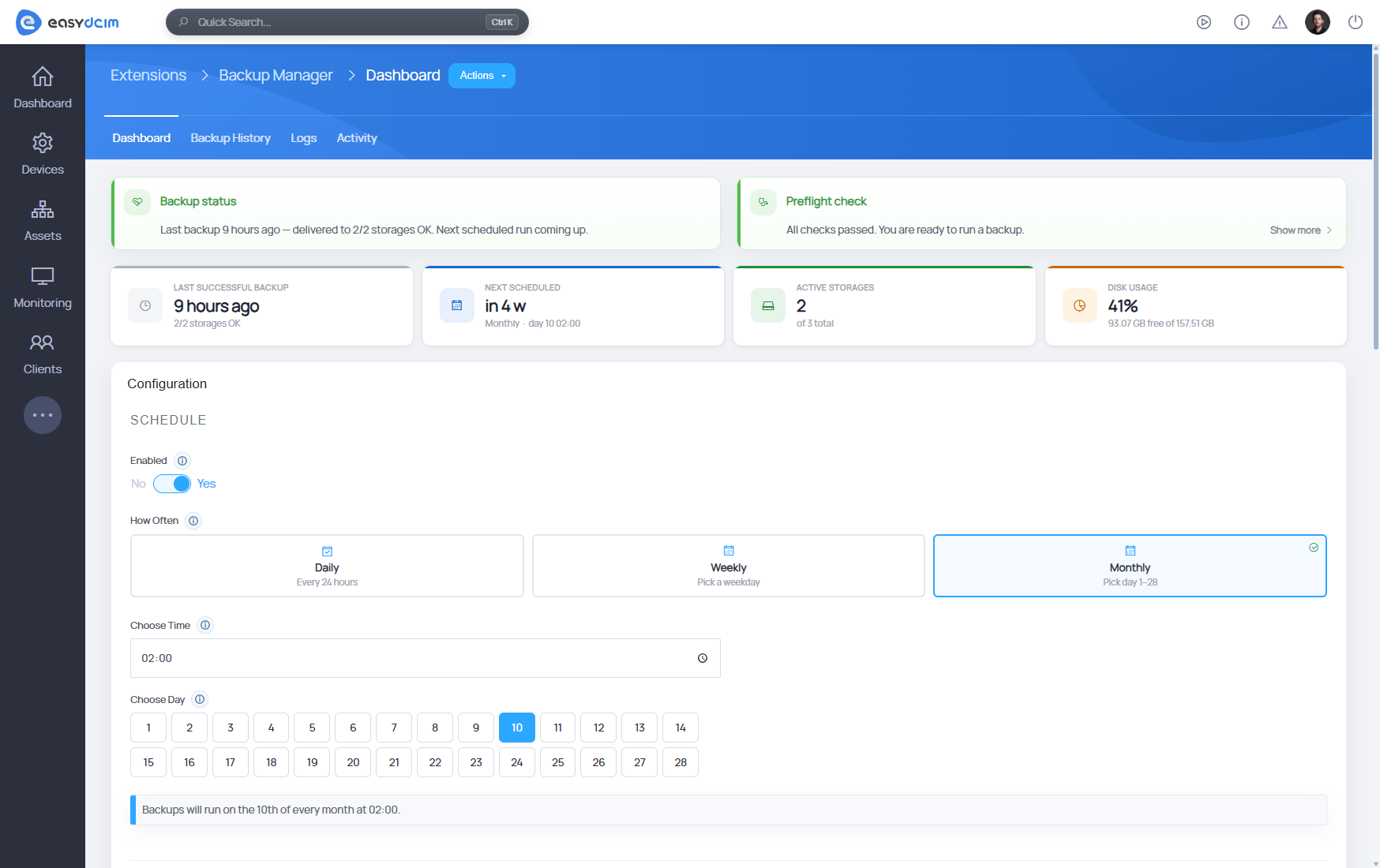
Keeping every backup next to the system it protects would rather defeat the purpose, so copies can also be sent to multiple SFTP and S3-compatible storage destinations. Local and remote backups have independent retention policies, and optional age encryption protects the archives wherever you decide to keep them.
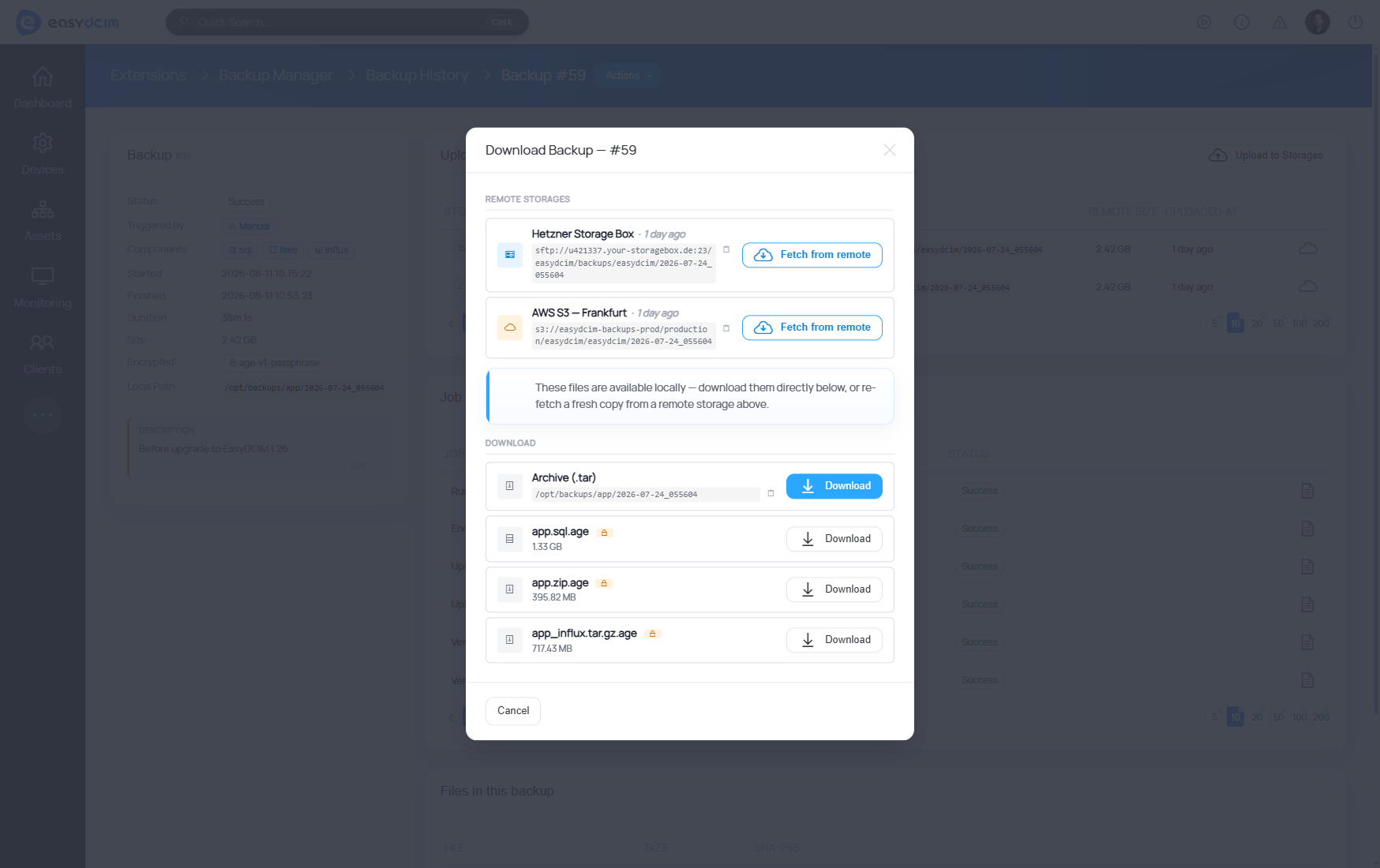
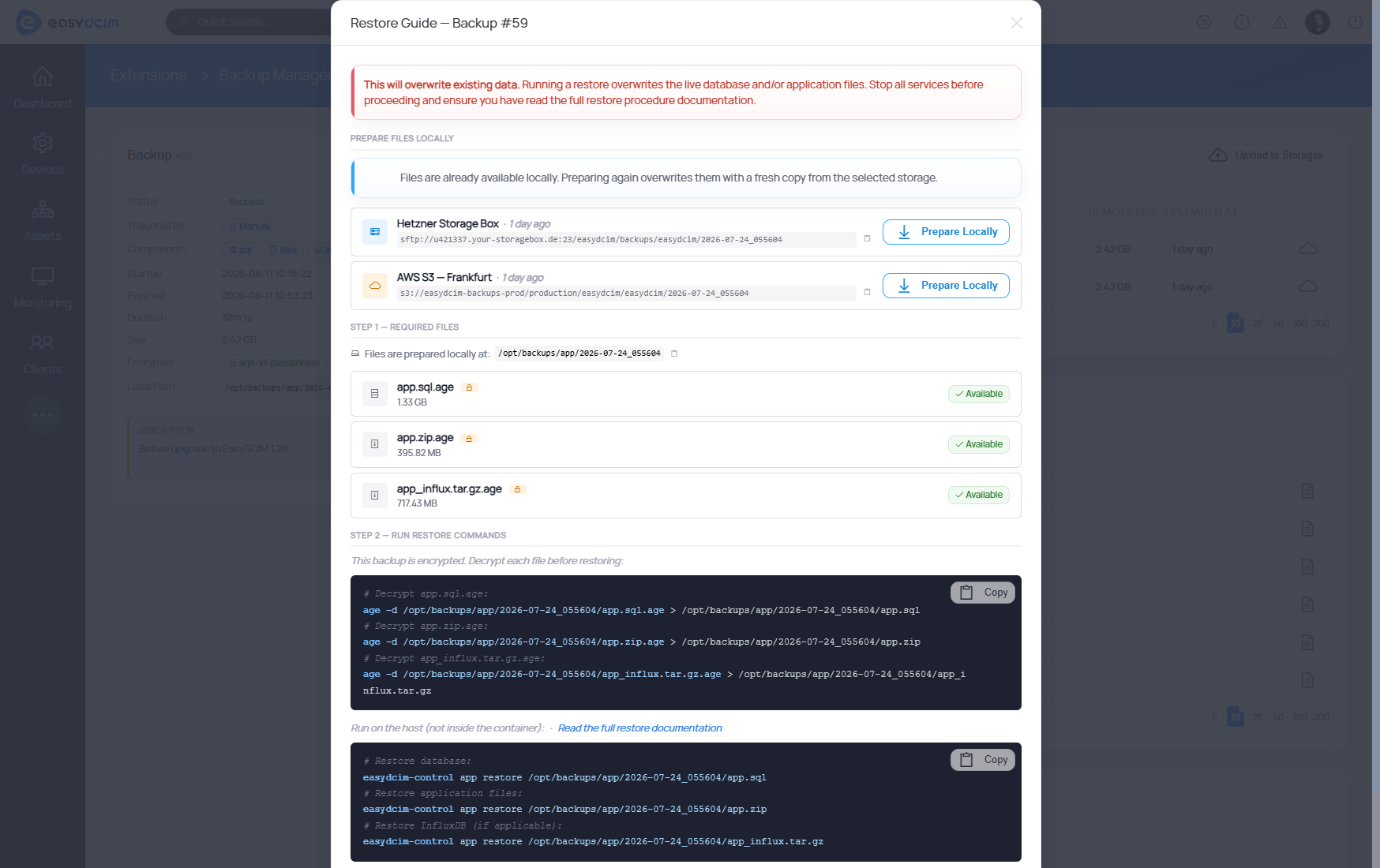
Of course, all of this leads to the moment that puts every backup to the test: recovery. Backup Manager lets you download a complete archive or individual files, retrieve a remote copy back to the EasyDCIM host and follow a guided workflow that walks you through the required decryption and restore commands. EasyDCIM gets everything ready, while the final restore stays under administrator control.
The new extension also happens to address a very real weak spot in backup strategies.
BACKUP REALITY CHECK
That is a sizeable gap between having confidence in your recovery plan and watching it work when it has to, as shown by Veeam’s 2026 research.
With Backup Manager, that test becomes easier to prepare for before you actually need it.
Changes worth passing on
A changed inventory status or device field can mean much more than a different value in a database. It may matter to an automation, an external platform or another team, and waiting for the next synchronization or manual check is not always good enough.
EasyDCIM v1.27.0 adds two new events for exactly this purpose: Device Field Changed and Device Metadata Changed. They can trigger notification actions whenever selected device fields or metadata are updated.
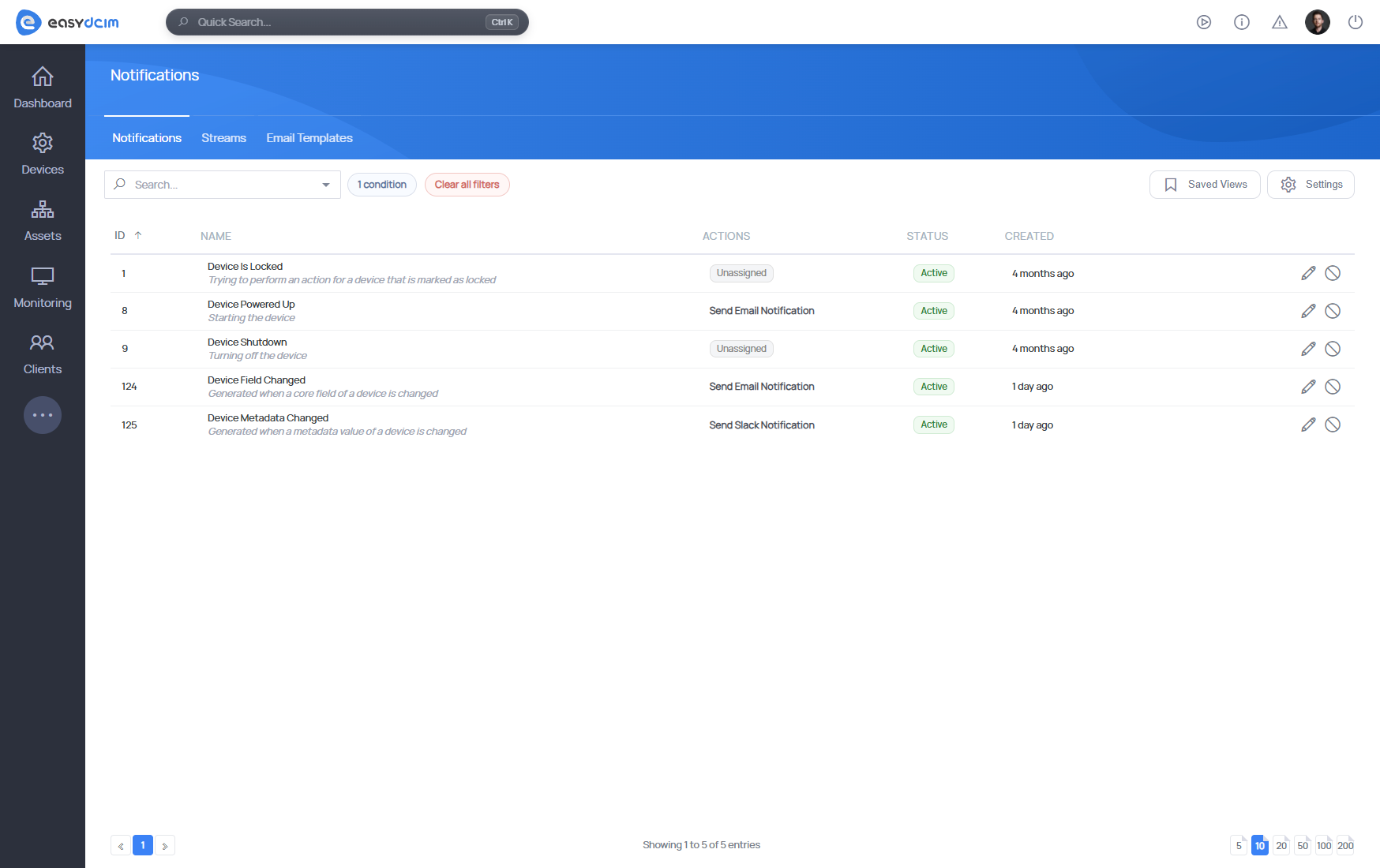
It is a small distinction with plenty of room for automation behind it, especially when EasyDCIM is already exchanging data with other systems across your infrastructure.
assigned
EasyDCIM can pass the actual change:
available→assigned
Let your directory do the login
If your users already have accounts in Active Directory, OpenLDAP or FreeIPA, there is little joy in giving them another password to remember and giving administrators another set of credentials to manage.
With LDAP Authentication 1.0.1, synchronized directory users can now sign in to both the Admin Area and Client Area with their existing credentials. Secure LDAPS and StartTLS connections are supported, while local authentication remains available alongside LDAP.
We have also added priorities to LDAP group-to-role mappings, so when a user belongs to several directory groups, EasyDCIM has a clear way to decide which role mapping should take precedence.
For environments where directory services already handle identity across the rest of the infrastructure, EasyDCIM can now fit into the same setup instead of running beside it with its own login rules.
Not every IP request needs a subnet
With IP Address Management 1.8.11, you can now request a specific number of individual IPv4 addresses and have EasyDCIM allocate them from selected source pools or from all eligible IPv4 pools. The allocation remains consistent when provisioning runs again, while the existing subnet mode continues to work exactly where you need it.
We have tightened up the surrounding logic too. Excluded IPv4 addresses are now kept out of primary, additional and custom IP metadata assignments, and existing subnets can be moved to a different parent through the GUI or API without recreating them and losing their data.
Network information exposed to customers and integrations has become more complete as well. API v3 and the Client Area can now return the subnet in CIDR notation, gateway and netmask alongside assigned IP addresses, giving consumers of that data more context without requiring additional lookups.
Better behaved metrics, VLANs and polling
Long-running systems tend to expose problems that are hard to see in a fresh installation, so a good part of version 1.27.0 deals with keeping accumulated infrastructure data tidy.
- InfluxDB retention and downsampling have been strengthened with detection and automatic backfilling of gaps in downsampled data. Additional safety checks run before older metrics are removed, and administrators now have commands for auditing and repairing selected time ranges when something needs closer inspection.
- VLAN discovery and synchronization has received similar attention. EasyDCIM now matches discovered VLANs by their numeric ID within a device, which helps prevent duplicate records after VLAN names change. It also handles disappearing and returning VLANs more carefully and avoids updating records or port assignments until polling has completed successfully.
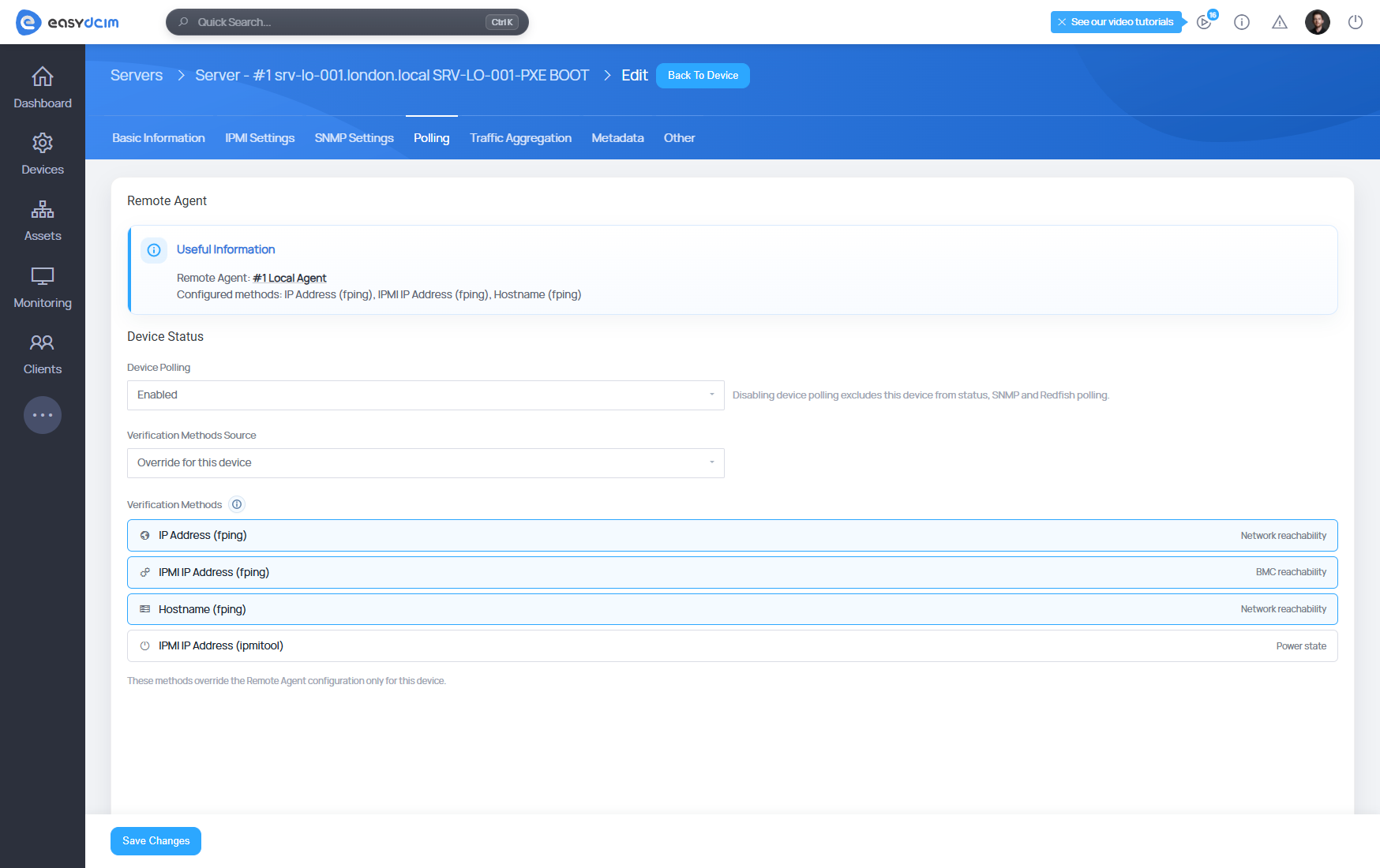
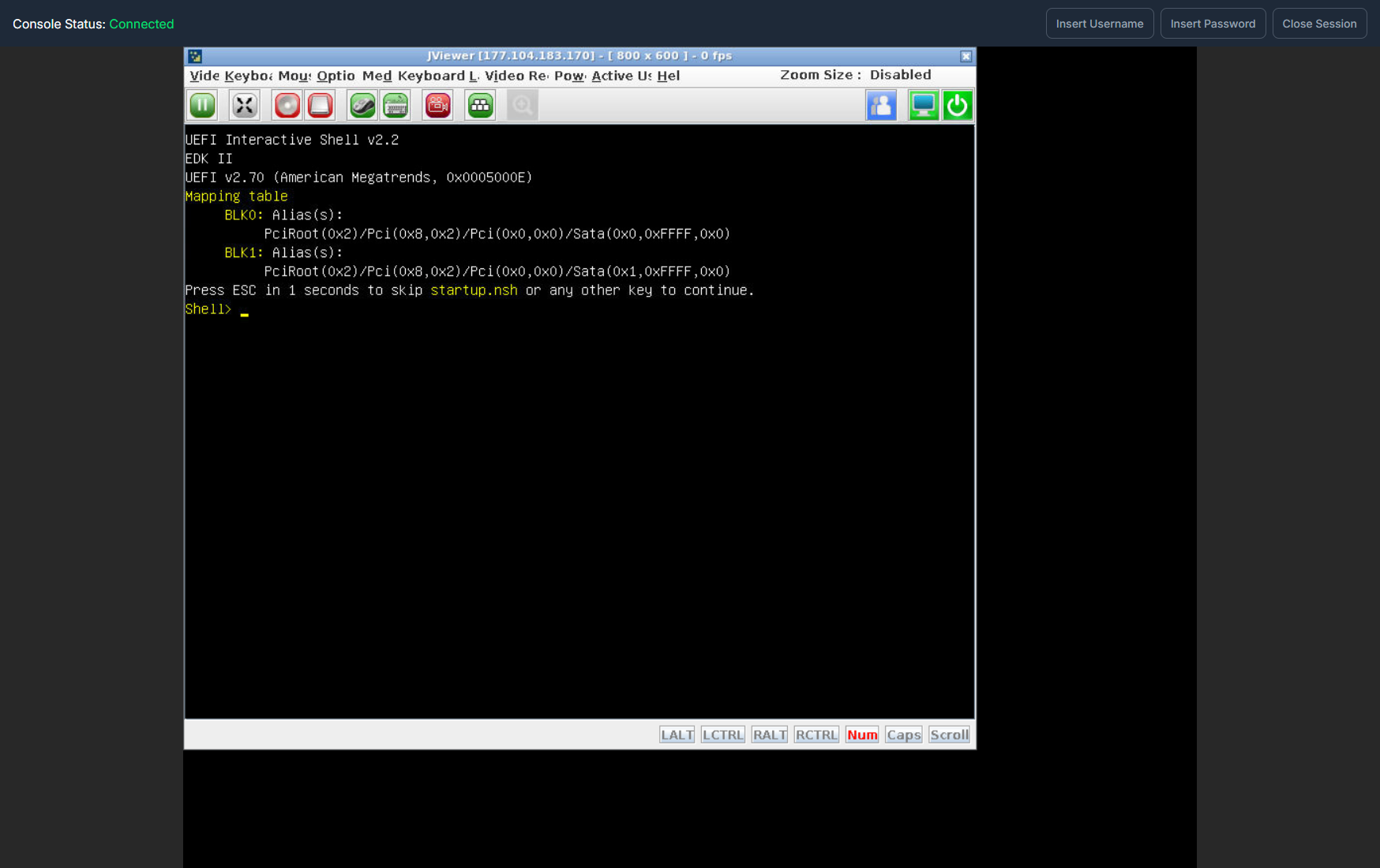
- Hardware support continues to expand too, with the Gigabyte H262-Z6A server board now available through the IPMI Integration extension.
Building recovery into everyday operations
The best time to work out how recovery should happen is rarely the moment when recovery becomes necessary. The same principle applies elsewhere in infrastructure management: useful information has considerably more value when it reaches the right place at the right time, and access management becomes easier when it follows systems that are already established across the organization.
And that is where we will leave the spotlight tour of version 1.27.0. Behind these highlights is another layer of smaller improvements, fixes and technical updates that can make quite a difference in the right environment. If you like knowing exactly what changed, the full changelog is worth a look.