




Data centers rarely become complicated all at once. Complexity usually grows one device, one customer and one monitoring source at a time.
EasyDCIM v1.28.0 tackles that challenge with new SNMP Profiles, Company Management, improved infrastructure views and better access to monitoring data. Together, these changes make growing infrastructure easier to organize, monitor and adapt as your environment evolves.
The protocol is standard. The hardware is not.
SNMP provides a common way to discover, monitor and control infrastructure, but different devices often expose their data in different ways.
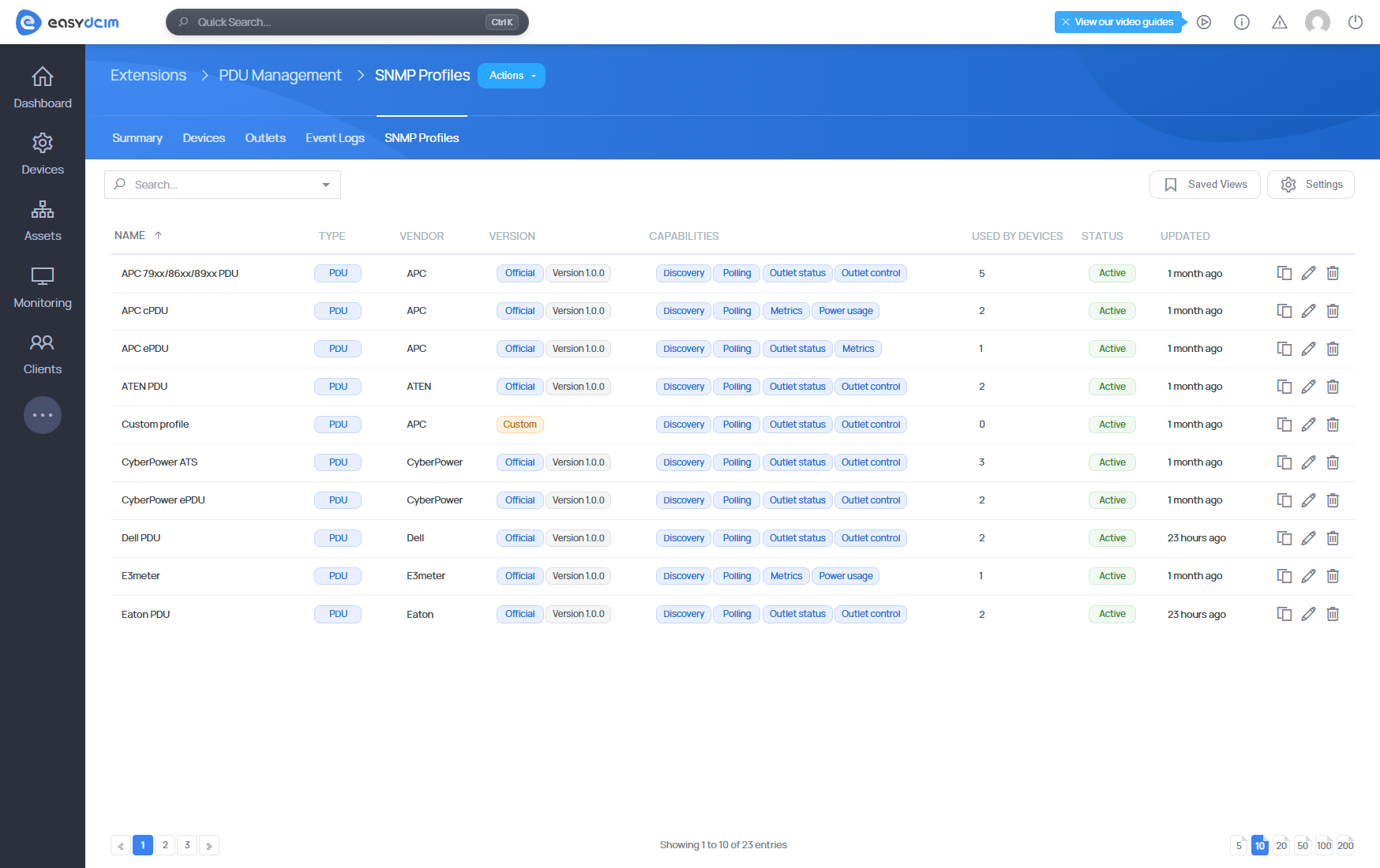
EasyDCIM v1.28.0 introduces SNMP Profiles for devices managed through the PDU Management v1.2.9 and Switch Management v1.4.4 extensions.
Official profiles are synchronized from the EasyDCIM licensing server, while administrators can clone existing definitions and adapt them to their own hardware.
For PDUs, profiles can cover discovery, polling, power usage and outlet control. For switches, they can define discovery, port status, speed and traffic telemetry.
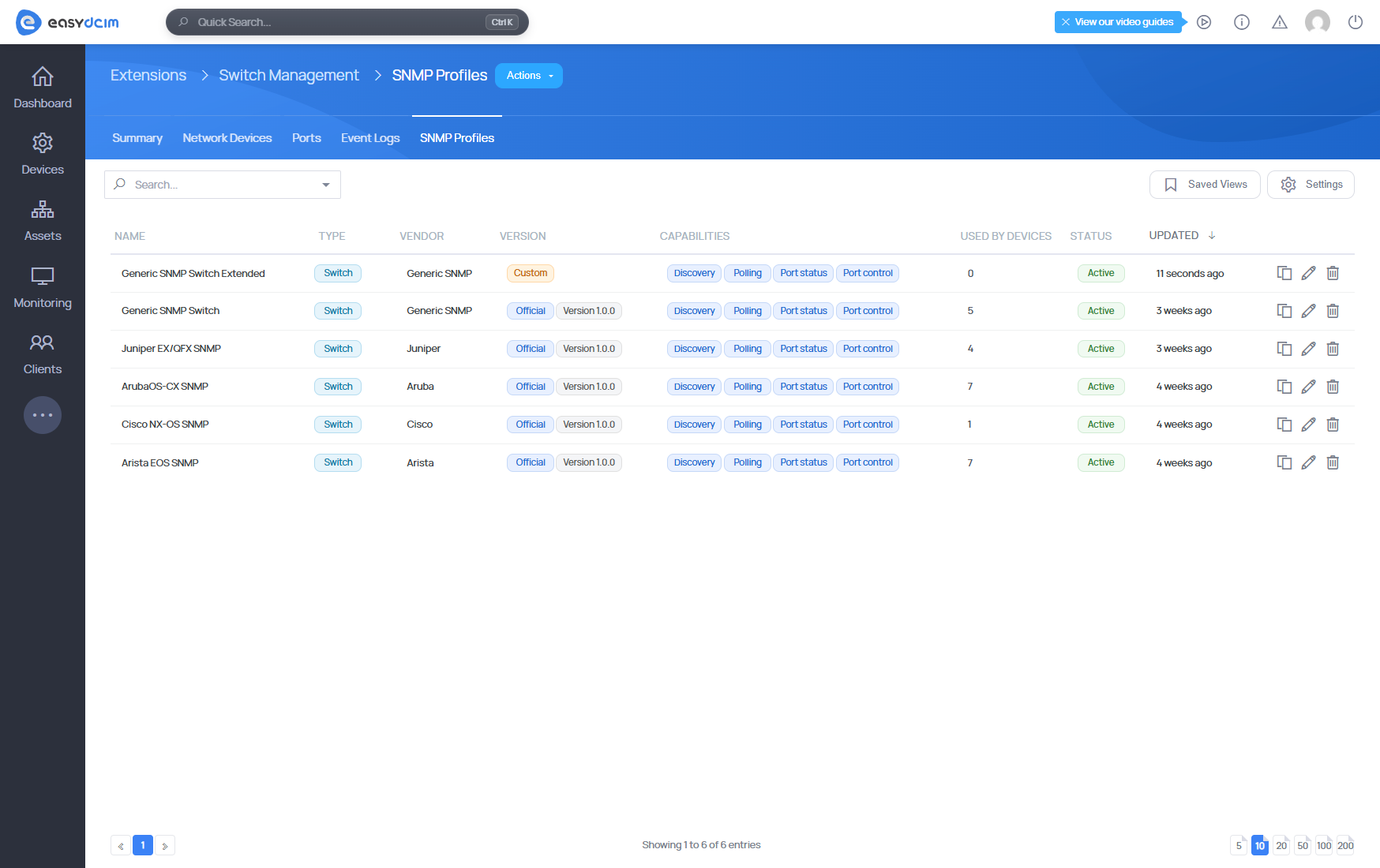
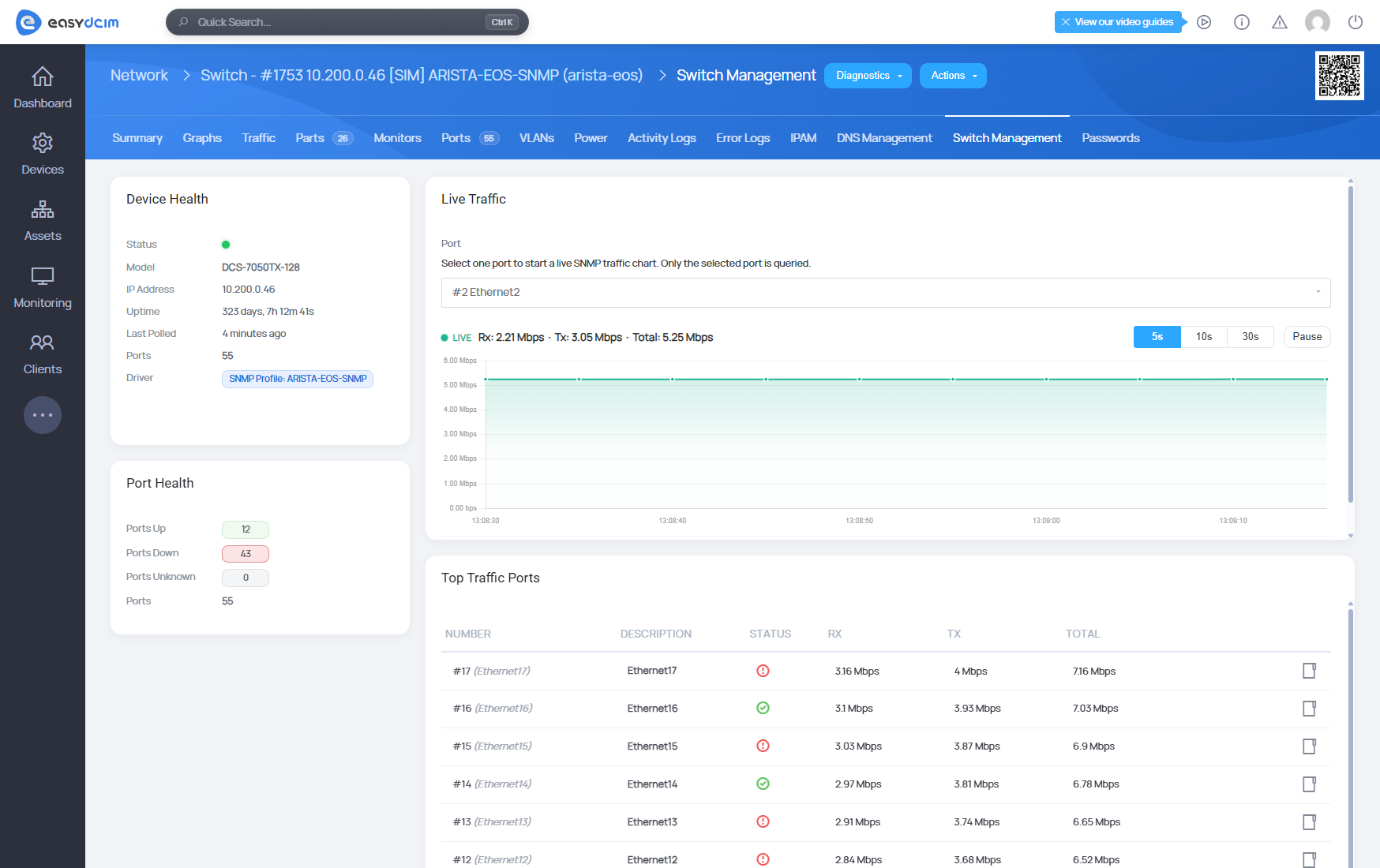
Flexibility without breaking what already works
Existing PDU and switch devices continue using their current drivers unless an SNMP Profile is explicitly selected.
This keeps current environments compatible while opening a much more flexible path for supporting new hardware and device-specific SNMP behavior.
PDU Management and Switch Management extensions also gain more consistent device views, bringing important status, power, port and traffic information together in a clearer interface.
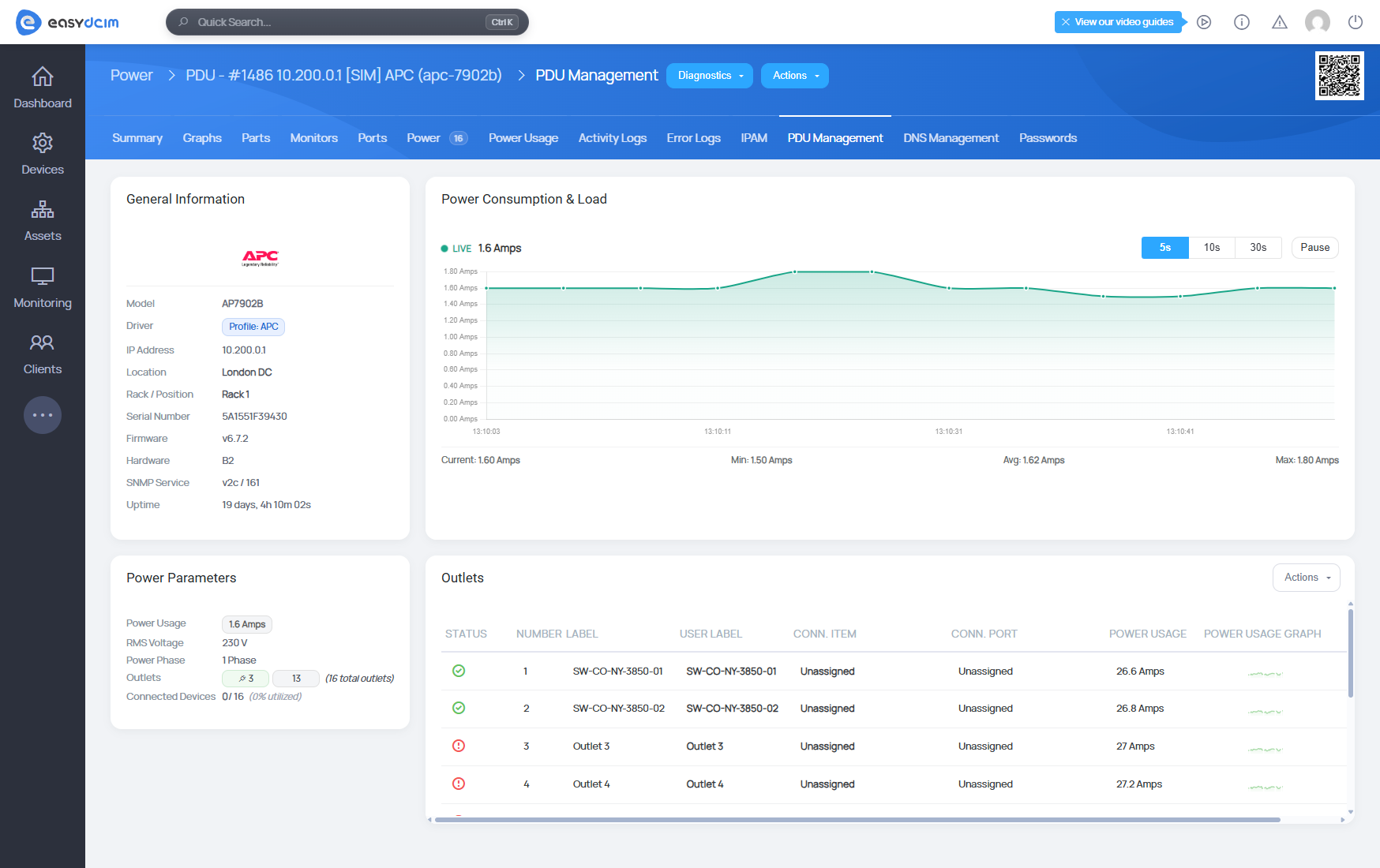
A company is more than a user record
Infrastructure becomes much easier to understand when resources are connected to the organization behind them.
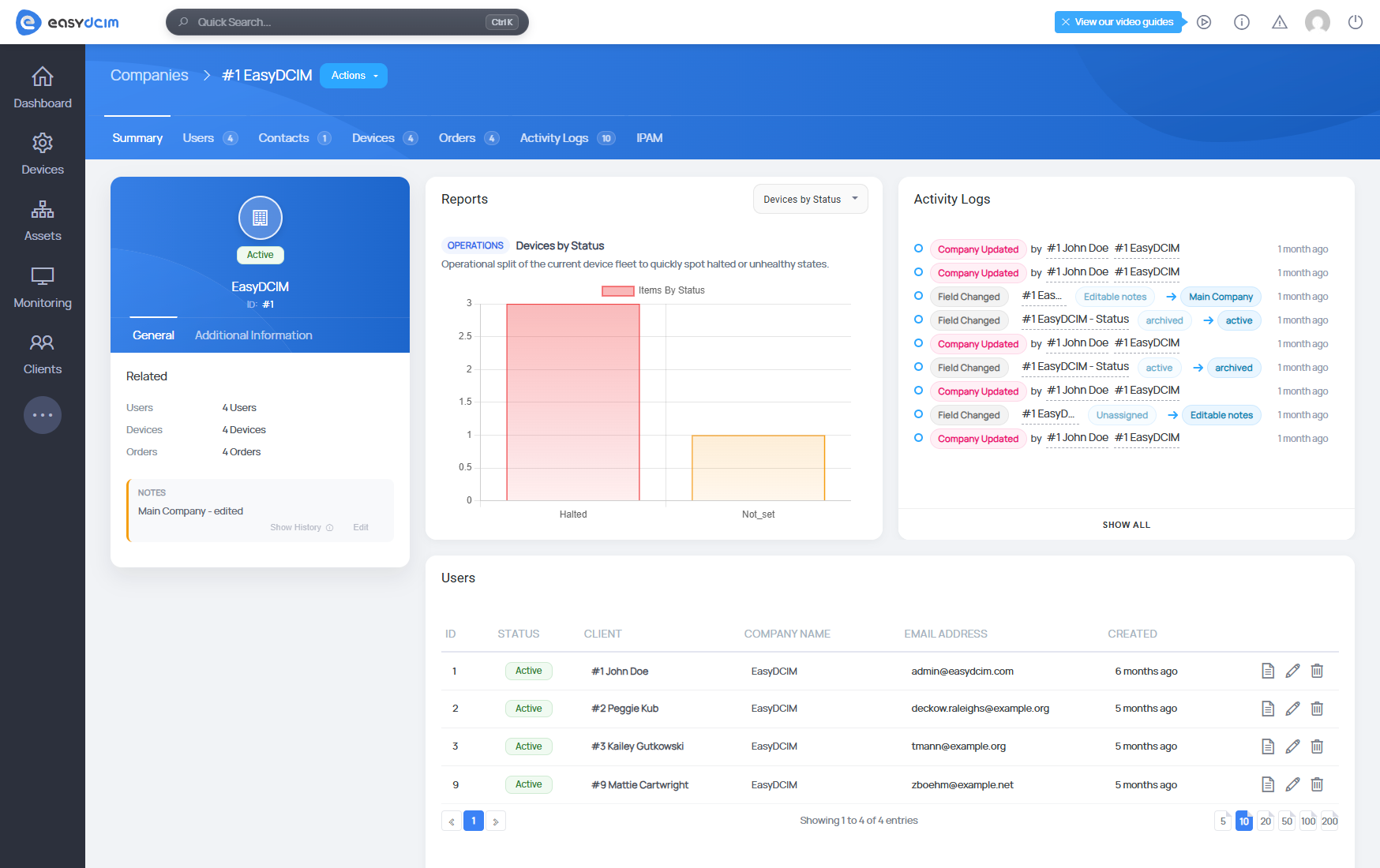
The new Company Management section organizes users, devices, orders, activity history and related resources around individual companies.
The IP Address Management v1.8.12 extension is part of that model too, with dedicated Subnets and VLANs widgets available directly on company pages.
For environments serving multiple organizations, this gives administrators a much clearer picture of who owns what and how the associated resources fit together.
A clearer view of your infrastructure
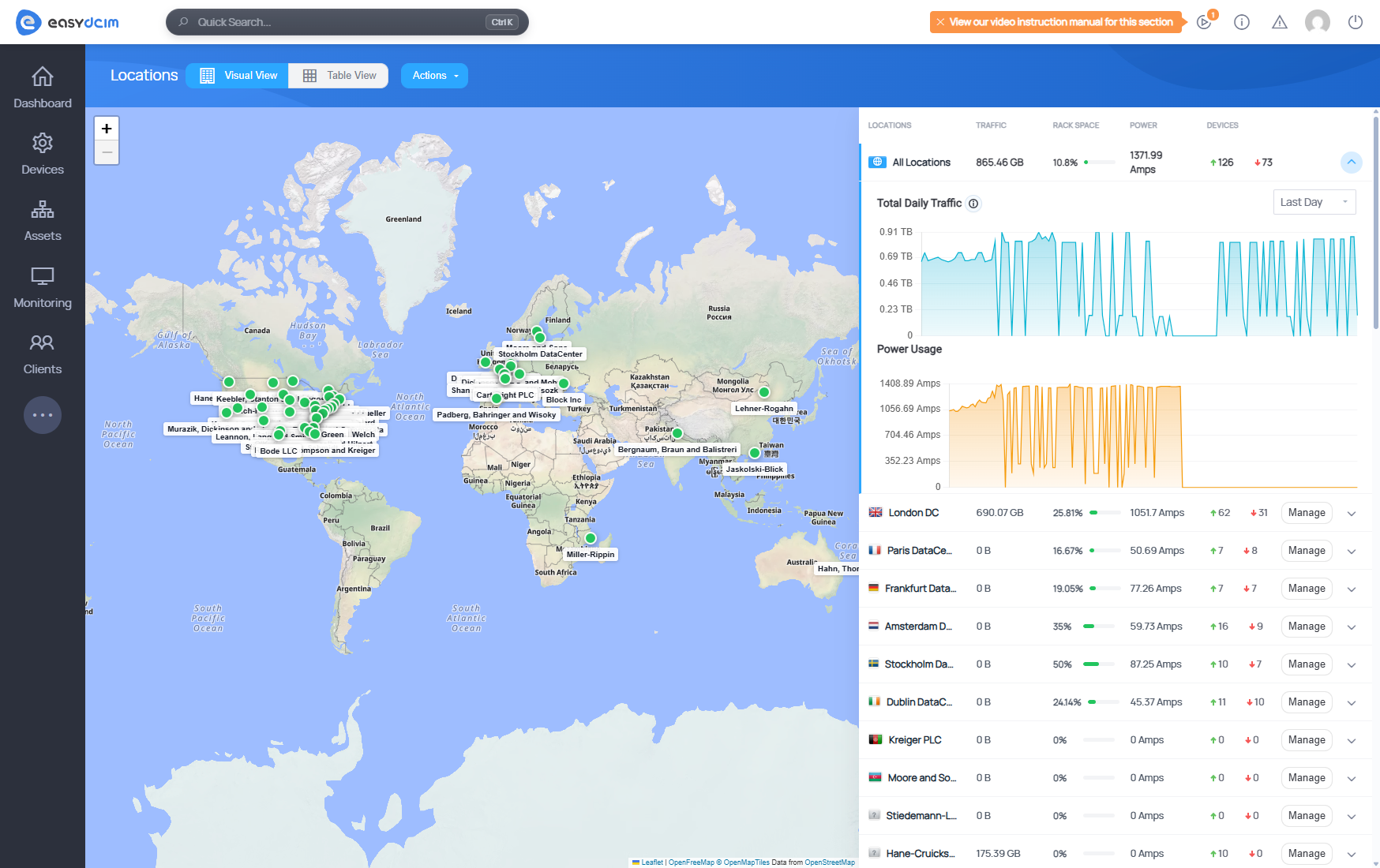
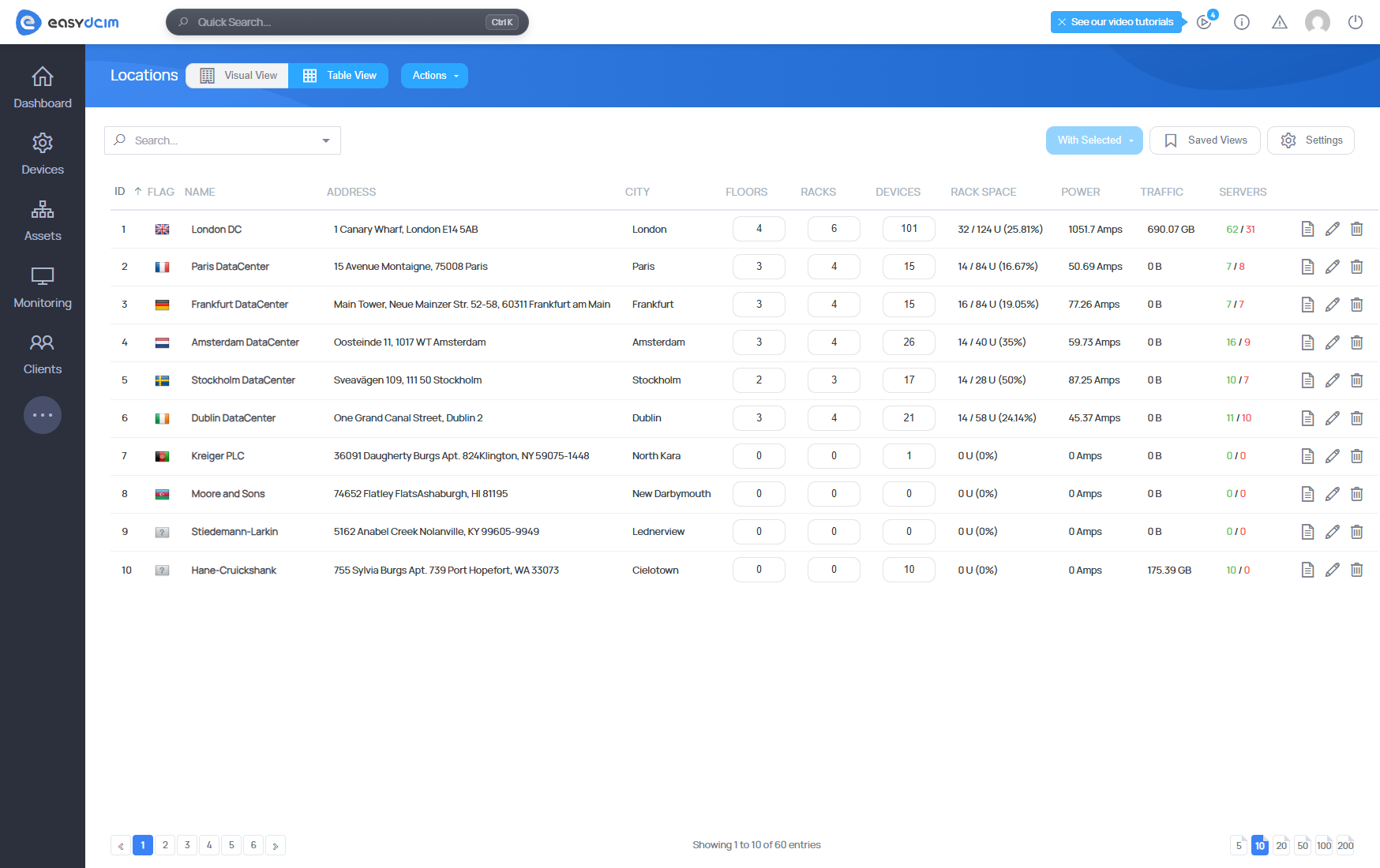
Visual maps are useful, but sometimes a table is simply faster.
Locations, floors and racks now gain dedicated table views with advanced filtering, making it easier to search larger environments and reach the right records quickly.
Monitoring gets its own improvement through the new Sensor Summary, which combines current readings, historical charts and monitor management in one dedicated view.
When monitoring data needs to travel further
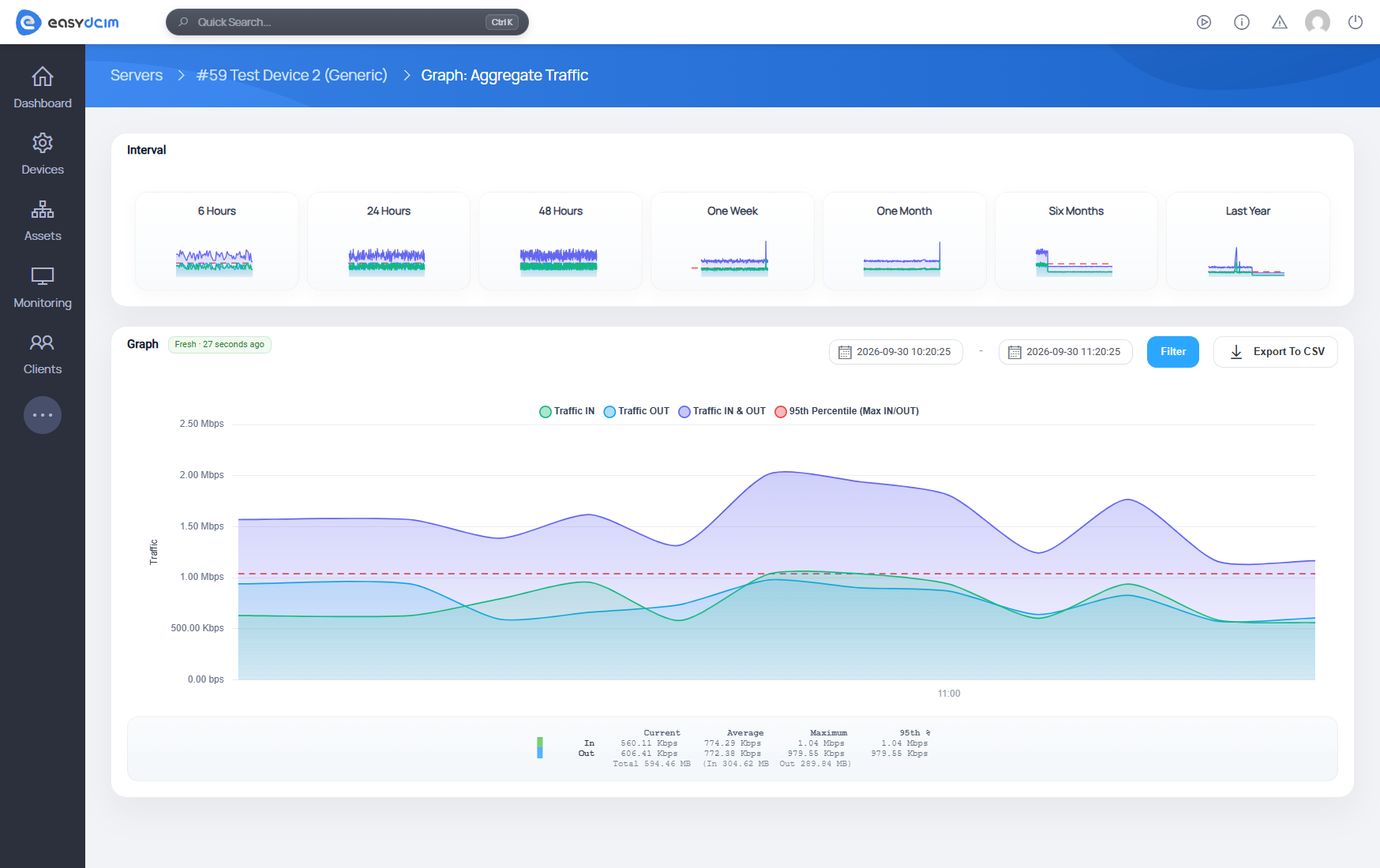
EasyDCIM v1.28.0 also makes it easier to take monitoring data outside the platform when deeper analysis or reporting is needed.
Data from Power Usage, Ping, Status, Aggregate Traffic and Network Traffic charts can now be exported directly to CSV while preserving the selected date range.
That gives administrators a quick way to continue analysis elsewhere or share the underlying telemetry with other teams.
Stronger SNMP authentication
SNMPv3 authentication now supports SHA-256 and SHA-512 across device settings, the Quick Configuration Wizard, discovery, mass editing and imports.
This extends the available authentication options without changing the workflows administrators already use to configure and manage SNMP devices.
More hardware, better stability

Hardware management receives several updates as well, including TYAN AST2500 support in IPMI Integration v1.5.12 and Java JViewer KVM access through the EasyDCIM console proxy.
Windows provisioning can now use the selected driver set during unattended installation, while additional fixes improve KVM compatibility with HP iLO 3 and Dell DRAC hardware.
The release also includes performance improvements for IPAM and other areas of the platform, helping larger environments stay responsive as their data grows.
Remote Agent behind the scenes
Remote Agent v1.23.0 provides the runtime behind the new SNMP Profiles, handling profile-based discovery, polling, metrics, outlet operations and switch port telemetry while preserving compatibility with existing drivers.
The update also brings SHA-256 and SHA-512 authentication for SNMPv3, Windows Driver Set support during unattended installations, TYAN AST2500 KVM compatibility, and fixes for HP iLO 3 and Dell DRAC console connections.
More consistency as the infrastructure grows
EasyDCIM focuses on making larger environments easier to understand and manage. SNMP Profiles bring more flexibility to hardware integration. Company Management adds valuable organizational context. New infrastructure and monitoring views make everyday administration faster and clearer.
These are the highlights of the release. For the complete list of new features, improvements, API additions and resolved issues, explore the full EasyDCIM v1.28.0 changelog.