


Infrastructure Components
Items
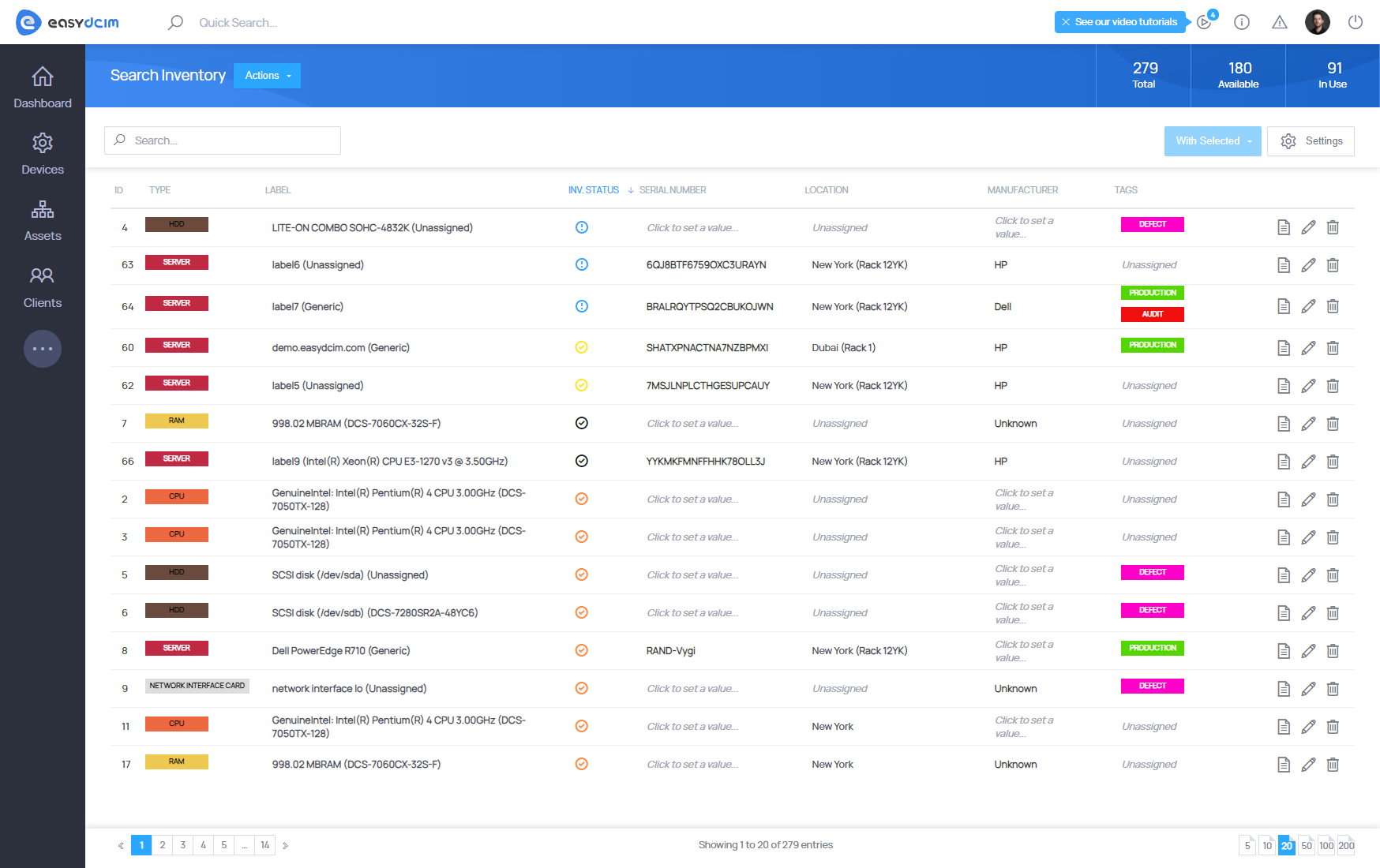
Item is a primary unit in the system. It specifies a single device or a single component of the device. Each type in the system must have its parent model. In other words, an item cannot be created in the system which is not created based on the model and which contains data on this item. Move to Assets → Search Inventory on the sidebar menu to see a list of the items in the system. In order to create a new item in the system or multiple items at once please refer to Mass Add Devices section.
Types
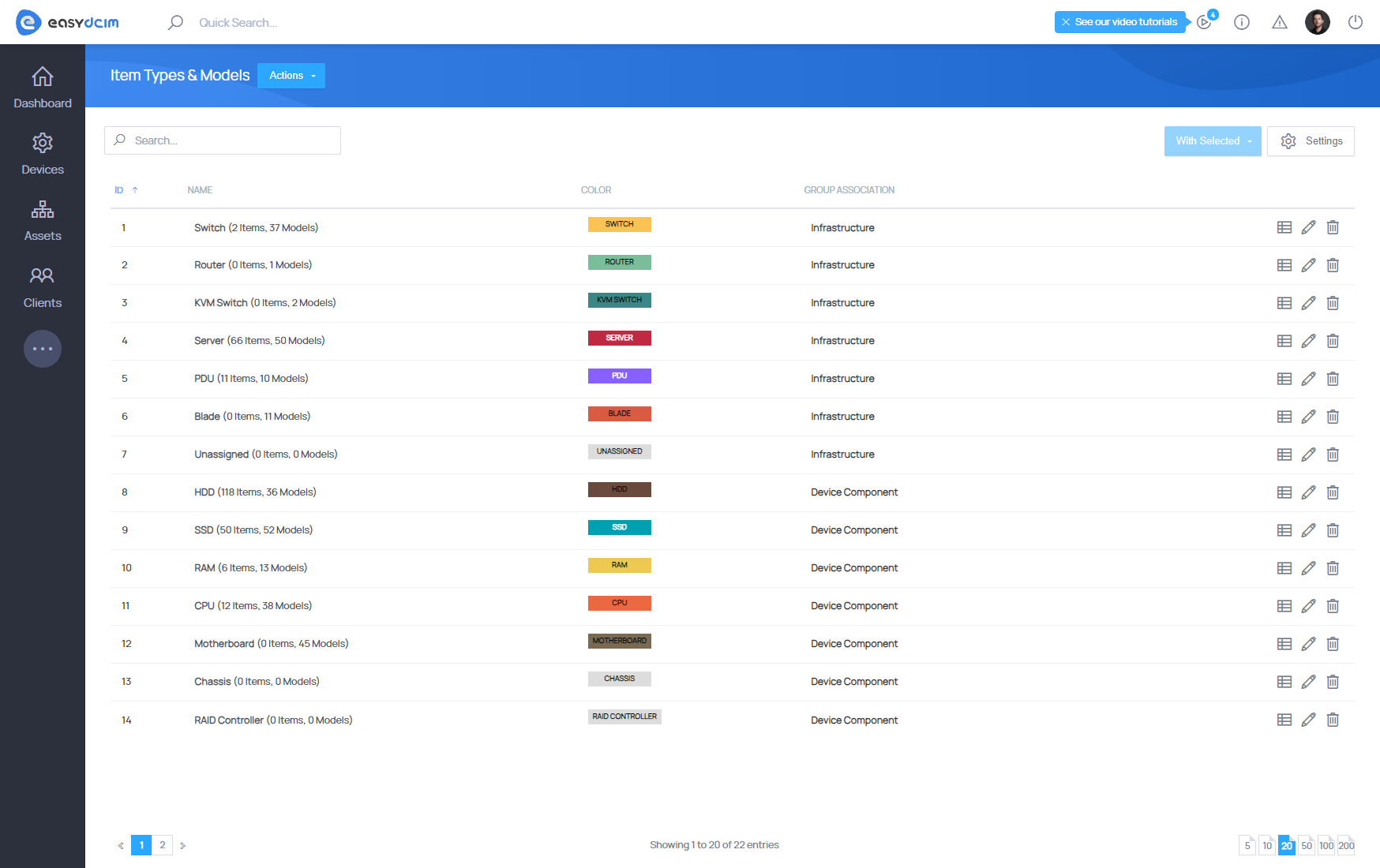
Item Types specify them in the system. There are two groups of types:
- Infrastructure
- Device Component
The Infrastructure group determines the type of the devices that are mounted in the rack cabinets or already include some components. The examples of such types are:
- Switch
- Router
- KVM Switch
- Server
- PDU
- Blade
The Device Component group determines the components which are elementary parts of other devices. In other words, each item of the device component type may have a parent in the system. The examples of such types are:
- HDD
- SSD
- RAM
- CPU
- Motherboard
- Chassis
- RAID Controller
- HOST BUS Adapter
- Software
- Network Interface Card
The above mentioned device types are predefined in the system, you cannot remove or modify their names. You can of course add your own type. To do this, select Item Types & Models from the side menu and then Add Type from the action menu. You can specify the name for each type, description and a group to which a given type belongs: infrastructure or device component.
Models
Device Models, these are templates containing a set of consistent and the same data for each individual item. We will now create a new processor model in order to show how models work in the system. To add the new model in the system select from the side menu Assets → Item Types & Models and then press Add Model on the action menu.
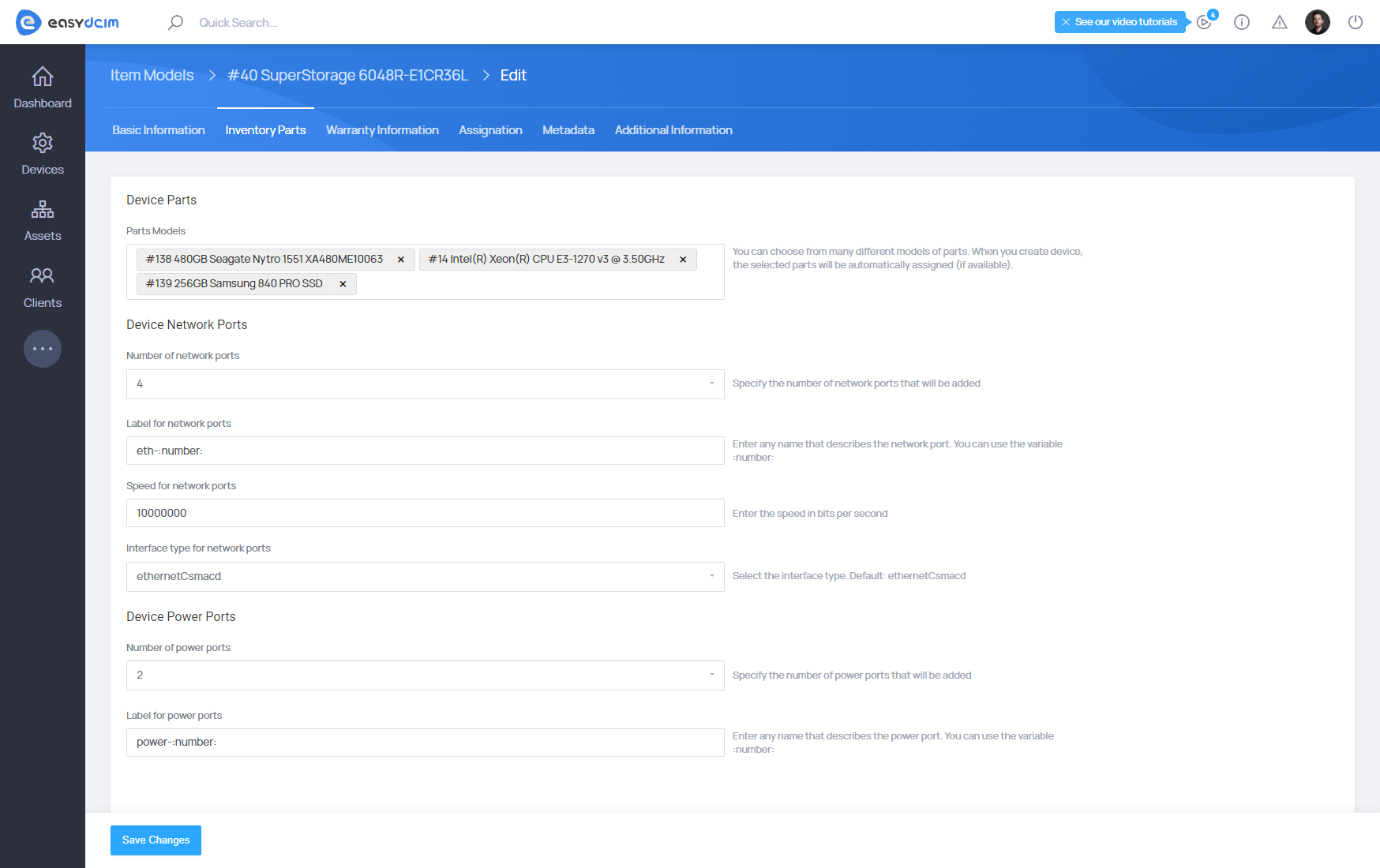
For example, let’s create a new model of Intel Core i7-5960X processor. The basic model information will give us fields such as:
- Model Type: CPU
- Model Name: Intel Core i7-5960X Haswell-E 8-Core 3.0 GHz LGA 2011-v3 140W
- Label: Intel Core i7-5960X Haswell-E 8-Core 3.0 GHz LGA 2011-v3 140W
- Manufacturer: Intel
- Serial Number: SD34-XXSD
- Serial Number 2: SDFC-3422
- Service Tag: BBDFH77DF
- Origin: California
- Buy Price: 120
Then, complete the information on the warranty of the model:
- Purchase Date: 2016-09-07 16:40:52
- Warranty Months: 24
- Warranty Info: Sample Info
- Maintenance Instruction: Sample Instruction
Next, fill in the metadata on the processor model.
- CPU Cores: 8 Cores
- CPU Cores [Real Value]: 8
Finally, fill out any additional information about the model and then save the newly created model. To create the Items on the basis of this model, go to Mass Add Devices section.
Item Type Fields (Metadata)
Item Type Fields allow you to define custom metadata for inventory items. Each field can be assigned to selected item types (e.g., Server, Switch, Blade) and automatically appears in item creation, edit, and summary views.
When creating a field, you can configure:
- Label & Slug – display name and unique identifier
- Applicable Item Types – devices/components that will use this field
- Field Type – text input, text area, dropdown
- Dropdown Options – for list-based fields
- Field Rules – extends field behavior
Metadata fields allow you to expand the system with additional attributes tailored to your infrastructure, ensuring consistent and structured data across devices.
Field Rules
Field Rules extend the behavior of metadata fields and define how their values are processed or displayed in the system. The most commonly used rules include:
- Combined - Automatically updates the parent device’s metadata by adding or subtracting the difference whenever the field value changes on a child item. If the parent does not yet have this field, it is created automatically.
- Encrypted - If enabled, the field value is encrypted before being stored and **automatically decrypted when displayed. If encryption or decryption fails, the raw value is used as a fallback.
- Unique - Ensures the field value is unique across all items of the same type. If a duplicate value is detected, the change is rejected, the previous value is restored, and a unique-constraint log entry is recorded.
- Provisionable – Makes the field available for use in provisioning logic, allowing its value to be included in server matching criteria and automated deployment processes.
- IP Address – Marks the field as an IP address, enabling validation and allowing it to be used by the IP Address Management module when assigning individual IPs from a subnet.
- Important – Highlights the field by displaying it in the left information panel of the device summary, ensuring key metadata is always visible at a glance.

