




The more successful EasyDCIM gets at automating infrastructure tasks, the more valuable every interaction with our platform becomes.
Administrators spend less time performing repetitive tasks and more time searching for information, filtering large datasets, reviewing inventory, and deciding what happens next. Automation removes the manual work, but navigation is what determines how efficiently you can act on everything automation has already done.
This idea led our work on EasyDCIM v1.26.0. This release significantly improves the way you move through the platform, introducing a redesigned search experience, more capable filtering, reusable table views, and several practical improvements across inventory management and OS deployment.
In this release: faster search, reusable views, clearer filtering, unmanaged inventory records, and stronger deployment recovery tools.
Search that keeps up with large environments
A search box may seem like a small part of a management platform until it becomes one of the most frequently used tools in the entire interface.
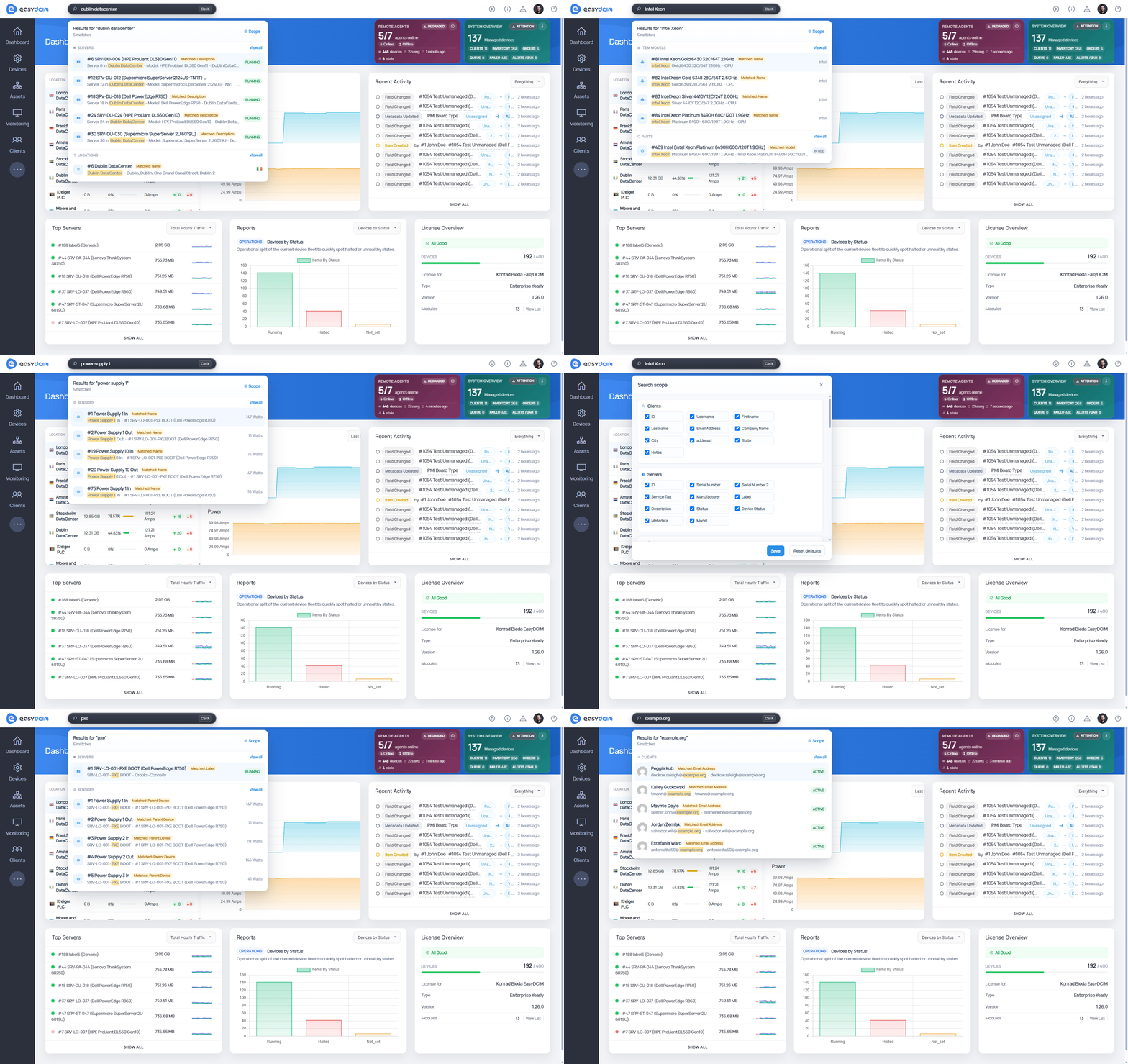
Quick Search has been completely rebuilt to make searching backend lists faster, more consistent, and easier to understand. Rather than blending together search phrases, filters, and table configuration, each now has a clearly defined role within the workflow. The result is a search experience that stays intuitive even when working with thousands of records, allowing administrators to reach the right information with far less effort.
Filters you don’t have to build twice
Infrastructure teams rarely ask the same question only once. The same filtered lists reappear during maintenance windows, hardware audits, provisioning tasks, and countless routine operations, yet many platforms still expect administrators to rebuild them from scratch every time. EasyDCIM v1.26.0 expects exactly the opposite.
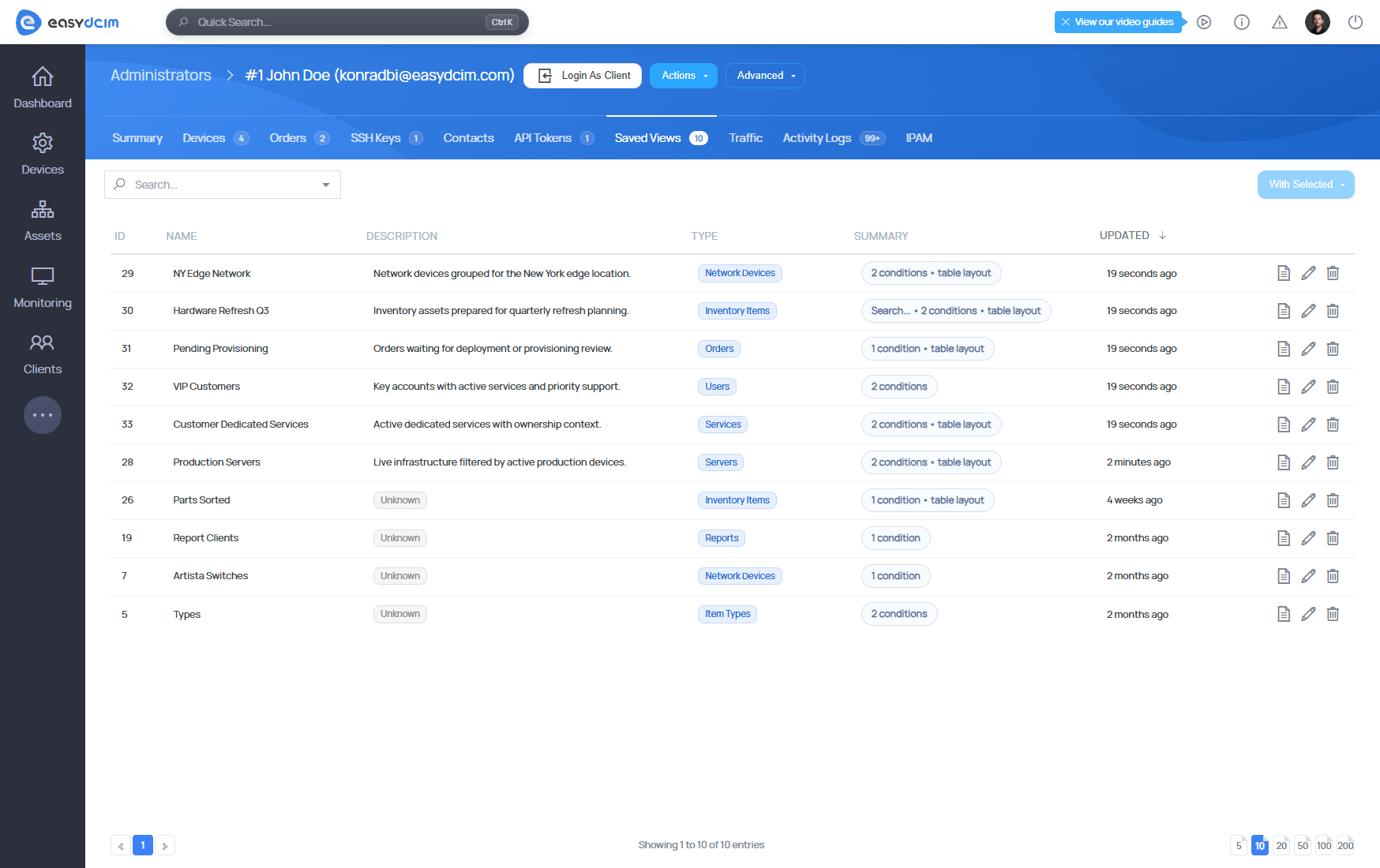
Saved Views
Store complete table configurations and restore them whenever needed. Everything from applied filters and visible columns to sorting order, page size, and table view mode can now be brought back with a single click.
Advanced Filter Panel
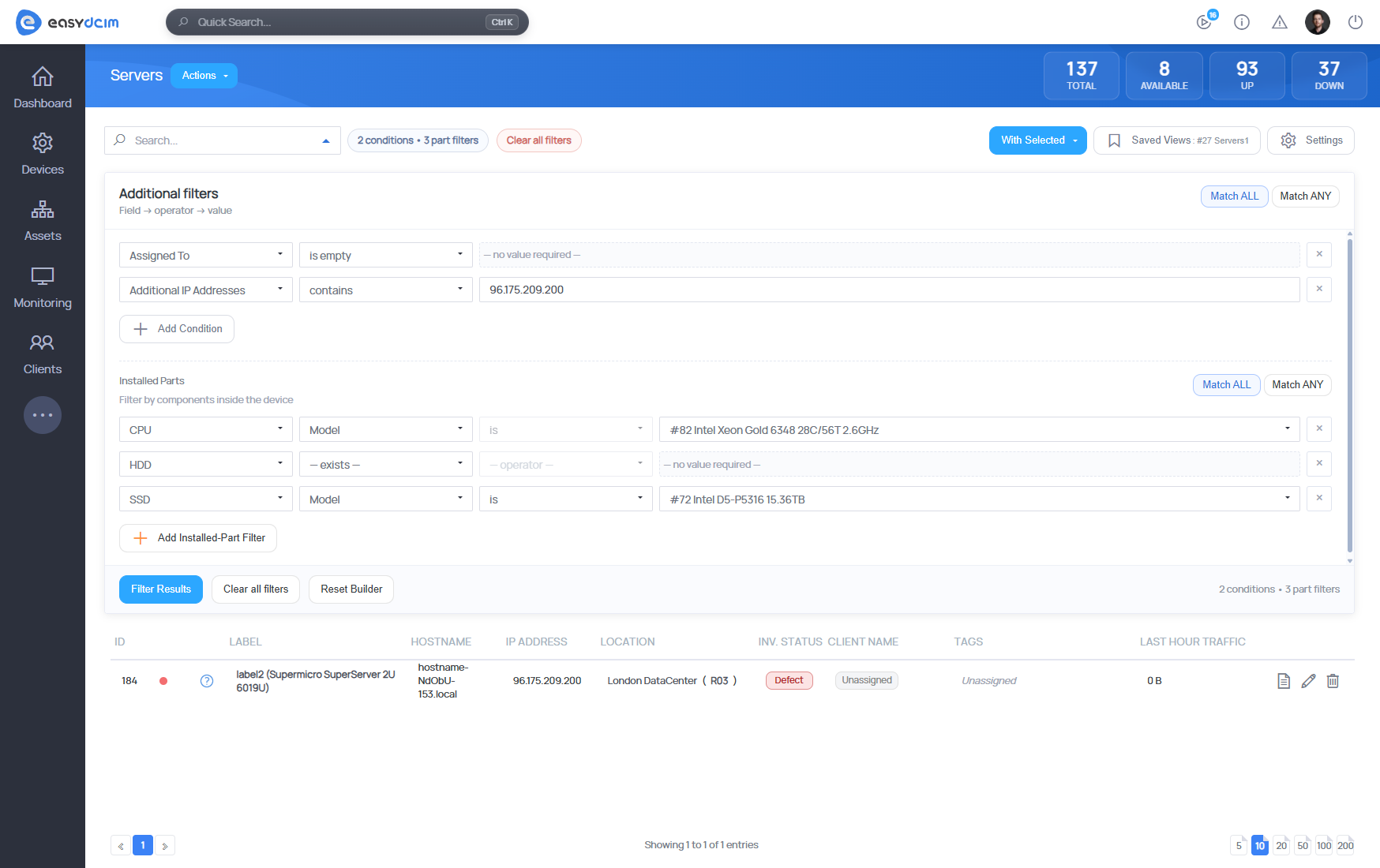
Replace manual parameter editing with a far more intuitive interface for building and refining complex conditions. Active filters stay visible, easy to modify, and just as easy to reuse.
Inventory doesn’t always need management
Keeping track of infrastructure has never meant managing every single device in exactly the same way. Spare hardware, equipment awaiting deployment, or devices kept for logistical reasons all have their place in inventory, even if they never need provisioning or remote management.
The new Unmanaged Devices mode reflects that distinction by allowing these records to participate fully in inventory workflows, rack visualization, filtering, and bulk operations while management functions such as power actions, noVNC access, IPMI, or provisioning stay disabled.
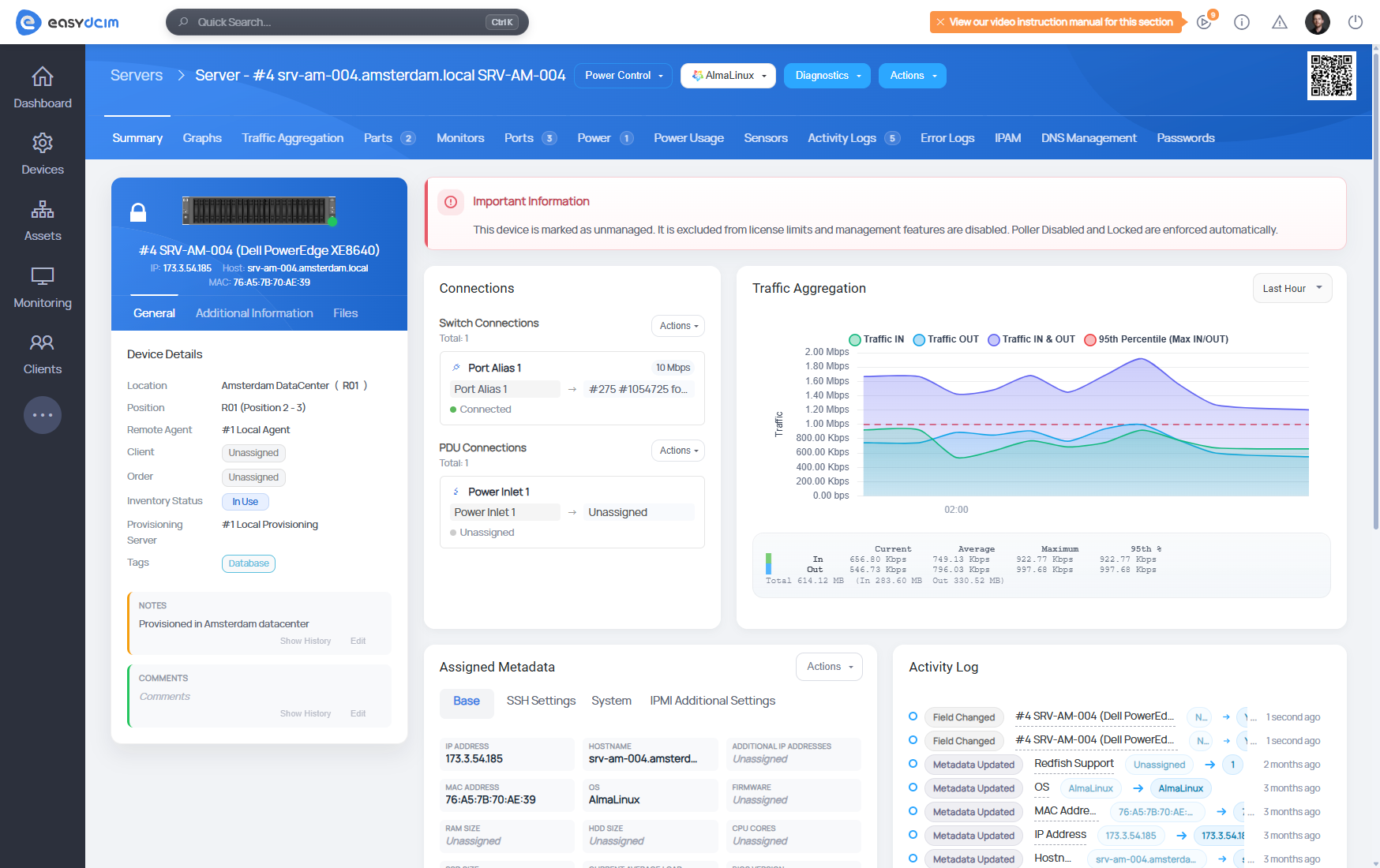
Perhaps just as importantly, unmanaged devices are excluded from licensed device limits, making it easier to maintain complete hardware records without affecting licensing for actively managed infrastructure.
Better tools for deployment and recovery
The OS Installation extension also receives welcome additions in this release.

The new Arch Linux template makes it possible to deploy installations directly from the latest official Arch repositories, giving administrators another up-to-date operating system option.
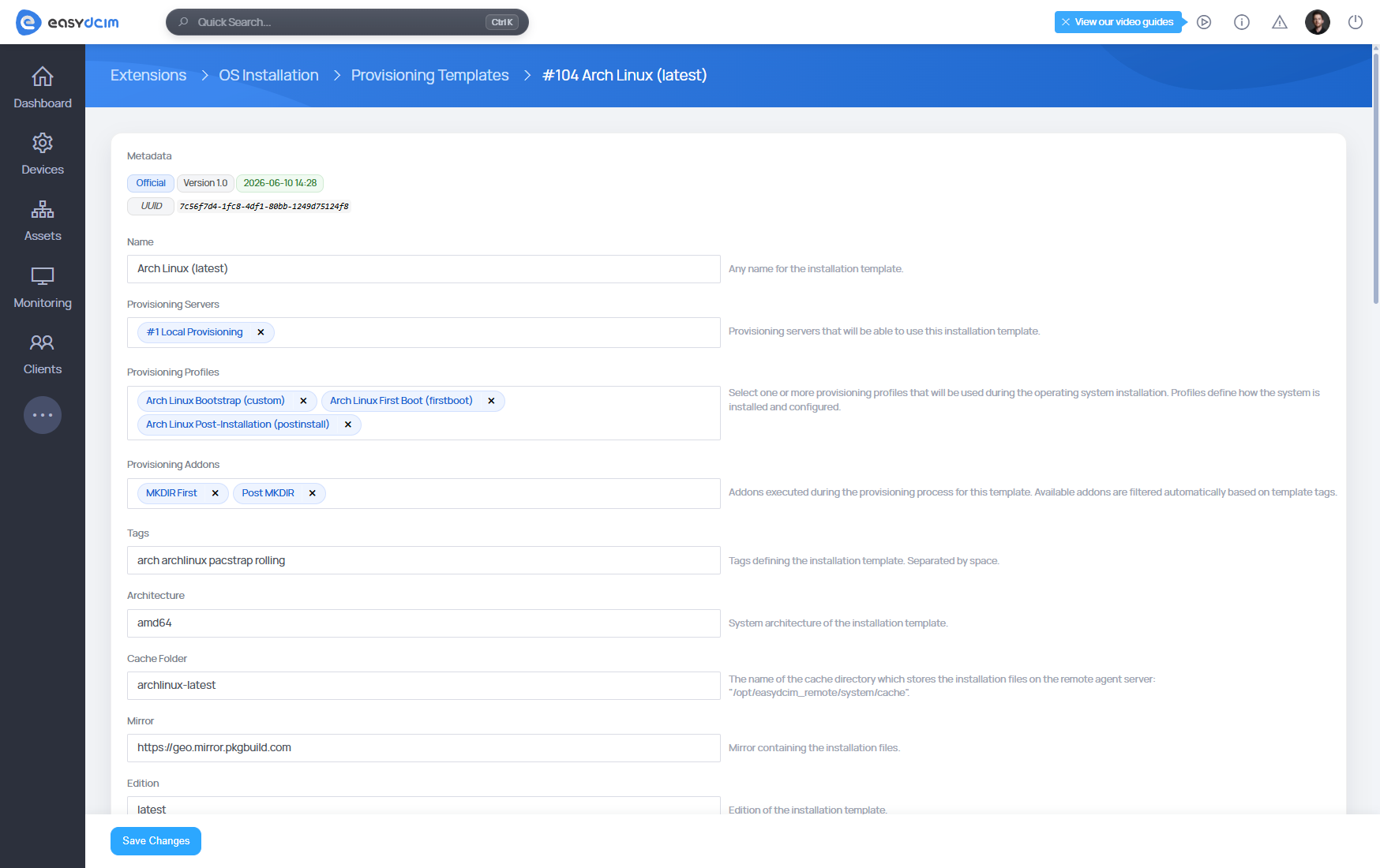
Meanwhile, rescue operations benefit from SystemRescueCd 13.0.0 support. Rescue Mode now automatically assembles software RAID arrays, mounts common Linux filesystems together with LVM volumes, and generates hardware diagnostic reports immediately after boot. During secure disk erasure, administrators can also follow live progress directly from the EasyDCIM interface instead of wondering how much longer the process might take.
Details that strengthen the whole platform
Search and filtering may define EasyDCIM v1.26.0, but they’re far from the only areas that received attention.
- New Timeline View for Activity Logs,
- Additional Docker performance tuning options,
- Faster traffic graphs,
- Clearer Remote Agent health monitoring,
- Refreshed QR code summaries,
- Improvements across inventory, API, provisioning, and backend administration.
Less time looking, more time doing
The value of DCIM automation has never been measured solely by how many manual tasks it removes. It’s also reflected in how naturally administrators can understand, navigate, and act on everything that automation produces afterwards.
That’s why EasyDCIM v1.26.0 puts so much emphasis on search, filtering, reusable views, and clearer navigation. Because good automation deserves good navigation, and the more infrastructure you manage, the more those two ideas depend on each other.
As always, we’ve focused on the changes we believe best represent this release and the direction it takes. There’s plenty more behind the scenes, though, so if you’d like to explore version 1.26.0 in greater detail, the complete changelog walks through every new feature, improvement, and resolved issue we’ve prepared.